


What UX Designers Need
 May 6, 2026

 July 23, 2023
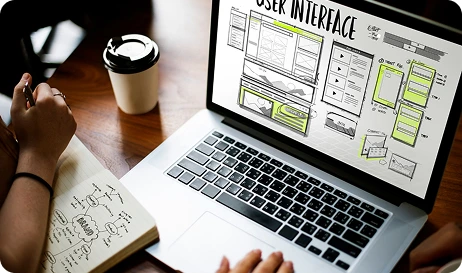
A few years ago, the presence of AI was subtly embedded in many of the systems we used for design, blending seamlessly into our existing workflows. It was there, but not nearly as obvious or widespread as it is now. Today, AI visibly powers the tools UX/UI designers use in industry-standard applications like Figma, Adobe, Sketch, and Canva.
For many designers, this shift hasn’t just changed tools, it’s challenged how we define our role. It’s not just a technical shift, but an emotional one too.
The good news is that designers don’t have to navigate these changes alone. As AI reshapes design workflows, the skills that matter most are evolving, and they’re all learnable. You can turn AI from something that feels threatening into a powerful extension of your creativity.
AI is no longer something on the fringes that you can afford to ignore. Nearly 9 out of 10 organizations regularly use AI across at least one business function, with many still in the early stages of scaling it [1]. Design, product, and marketing teams are often among the first to experiment within organizations.
From speed to where designers spend their time, here’s how AI is showing up in and changing UX design:
AI is increasingly used for the grunt work that used to consume hours, such as:
When using AI for graphic design, this might mean automatically producing 20 banner variations, then spending your time reviewing, refining, and aligning them with the brand. Creating outputs faster is valuable, but the true advantage comes from having more time to focus on judgement, taste, and decision-making.
AI-powered systems can adapt interfaces to each user in real time. This is what Nielsen Norman Group calls generative UI, where interfaces are dynamically generated to appeal to individual preferences and habits [2]. This is similar to how Netflix feeds change based on viewing habits.
Instead of laboring over low-fidelity prototypes, designers can generate multiple options and quickly test which concepts resonate. Platforms, like Figma, have created collections of AI-powered features that make “what if we tried…” questions much easier to answer.
The growing presence of AI in design will only continue to transform the way designers work. When used efficiently, AI can enhance designers’ output in many ways and encourage more to become orchestrators of systems, intent, and experience.

AI enhances UX design by enabling personalization, predictive experiences, and smarter user interactions. It helps designers analyze user behavior and automate repetitive tasks for better efficiency.
Start with research summaries, quick ideation, accessibility checks, and content variants, then review every output through a human design lens.
Speed, stronger personalization, better data interpretation, and more time for strategic thinking are the biggest gains.
Designers must manage bias, privacy, quality control, unclear user expectations, and over-automation risks.
AI can summarize interviews, cluster feedback, and generate test hypotheses, but direct user observation still matters.
Coding helps, but designers can get strong value from no-code AI features, prompt literacy, and careful product judgement.
Be transparent, protect private data, test for bias, give users control, and keep important decisions reviewable.
UX design is moving toward adaptive systems, faster prototyping, and more strategic orchestration of product behavior.

Write A Comment
THIS IS THE HACKER CHECK COMMENT
this is the reply check